Guests
- Plan nights out faster with personalized discovery.
- Order ahead when the venue supports pre-order.
- Pay in one place—card or wallet.
- Track loyalty progress and offers in a single app.
Dine-in · Pre-order · Loyalty
BOE helps guests discover venues, build a taste profile, book a table, optionally pre-order from the menu, pay with Stripe or in-app wallet, and check in with a booking QR code. Restaurants get rich profiles, menu and capacity control, vouchers, loyalty tiers, and memberships—supported by a web admin and a mobile app for guests.
Focused on dine-in booking and pre-order—not a last-mile delivery network.
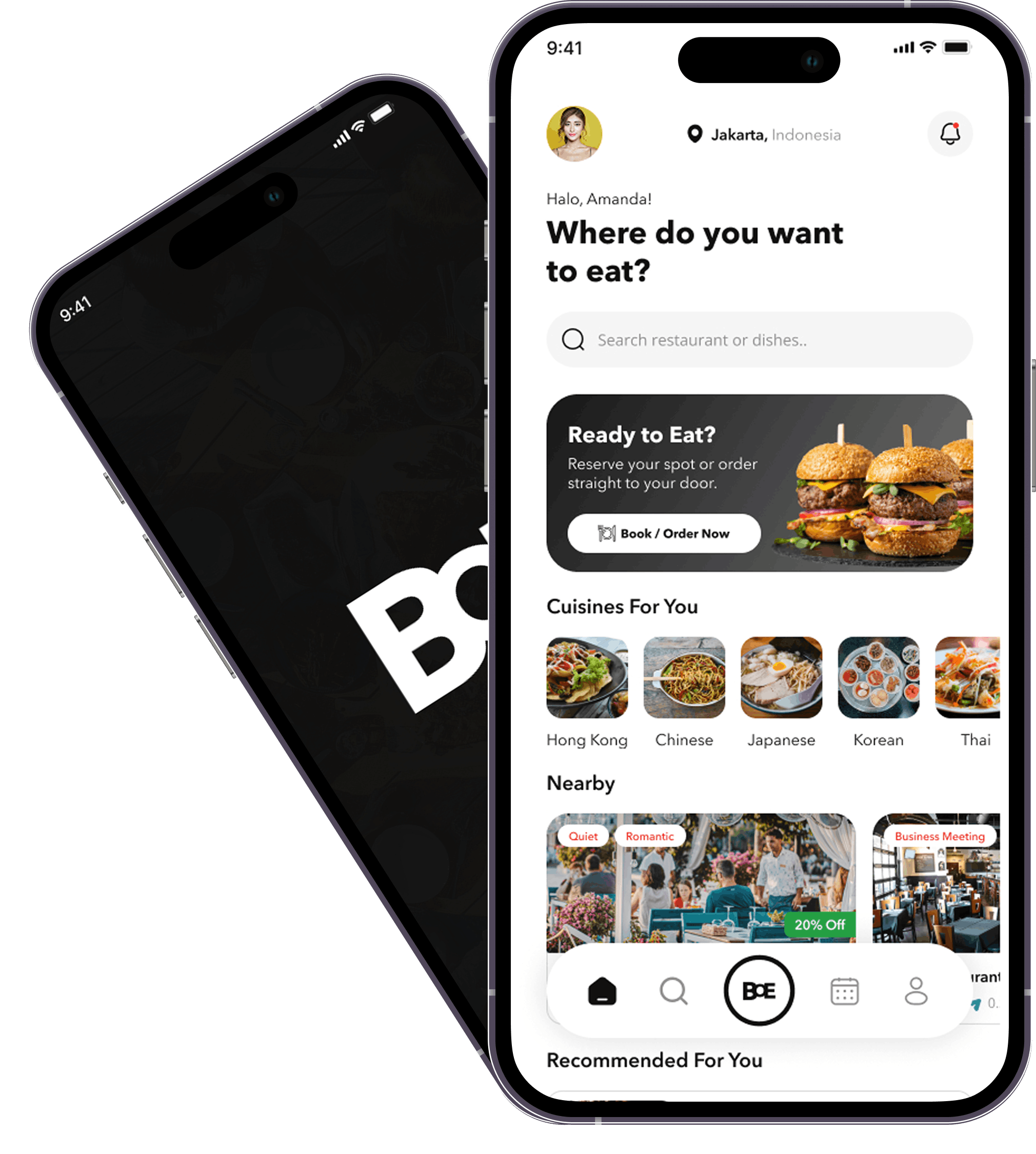
BOE (BookOrderEat) is a restaurant reservation and pre-dining platform: diners discover venues, build a taste profile, book a table, optionally pre-order from the menu, pay (Stripe and/or in-app wallet), and receive a booking QR code. Restaurants onboard with profiles, menus, floor visuals, capacity and hours, and can run vouchers, loyalty tiers, and memberships. A web admin handles listings, menus, bookings, invoicing, and users, while guests use a dedicated mobile app.
Fewer friction points planning a night out—personalized discovery, a clear booking flow, optional pre-order, digital payment, and a QR for the visit.
One place to showcase menu and imagery, control capacity and seating preferences, take pre-orders tied to bookings, issue discounts, and grow repeat visits with tiered memberships and notifications.
Bookings connect guests, restaurants, orders, offers, payments, wallet activity, QR passes, and notifications—so teams can run day-to-day operations with confidence.
Everything from discovery and booking to payments, loyalty, and back-office control.
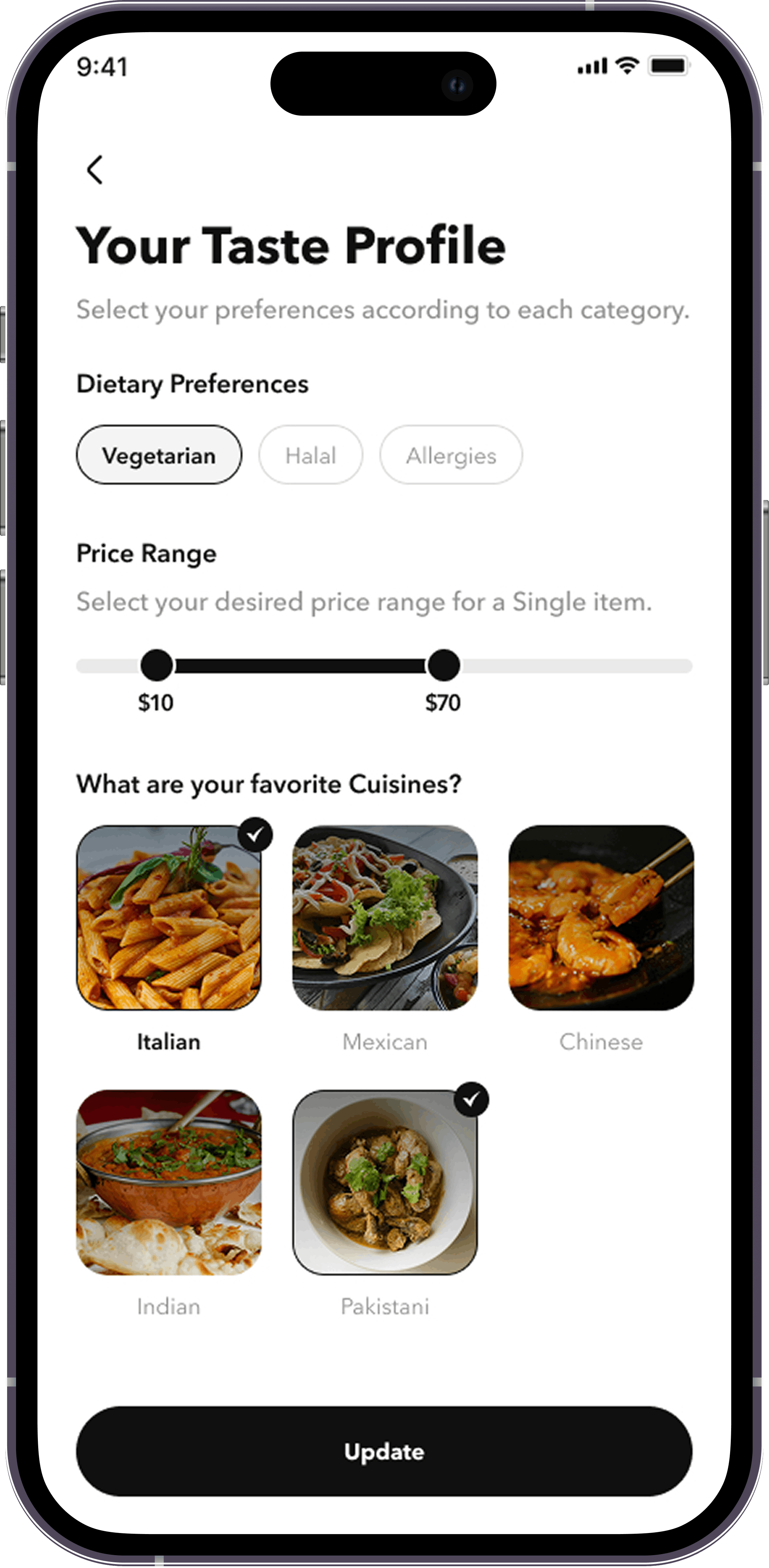
Dietary preferences, cuisines, and budget range surface relevant spots.
Party size, date and time, seating preference, special requests, and occasions.
Build your order before arrival when the restaurant requires or allows it.
Card payments via Stripe and an in-app wallet for balance-based pay.
Percent-off codes assigned to users.
Levels tied to completed bookings, with perks and discount percentages.
A visual pass linked to reservation details for check-in or verification.
Bookings, reminders, review prompts, coupons, and membership tier changes—in English and Traditional Chinese.
English and Traditional Chinese throughout the app.
Logo, imagery, optional floor-plan visual, cuisines, and geo location.
Create and manage restaurants and menus, oversee bookings, run vouchers and memberships, administer users, and handle invoicing.
A simple guest journey from first login to check-in.
Create an account with username/password and/or email and phone one-time codes. Add dietary preferences, cuisines, and price range when it suits you.
Browse home and search, open rich venue detail, then optionally build a pre-order from the menu when the restaurant ties it to your booking.
Set party size, date and time, seating preference, special requests, and occasions. Apply coupons if you have them. Pay with Stripe and/or your in-app wallet.
Use your booking QR at the restaurant. Afterward, manage My Bookings, notifications, favorites, memberships, and wallet top-ups from one place.
Managers maintain profile, menu, bookings, and membership or coupon programs. Admins oversee users, restaurants, venues, cuisines, categories, menu items, bookings, vouchers, membership setup, and invoices—including what each booking should pay or has paid when your operating model needs that visibility.
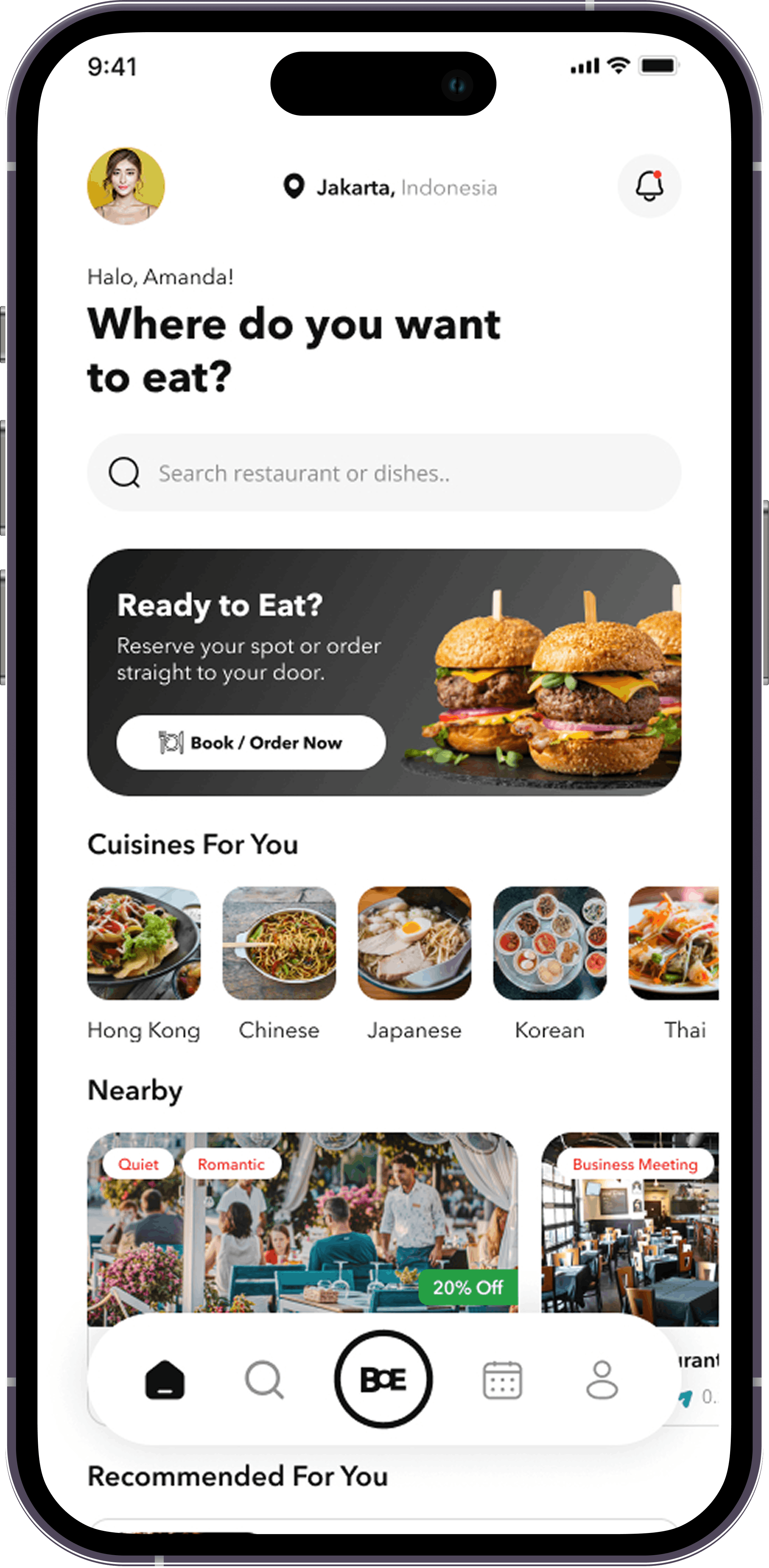
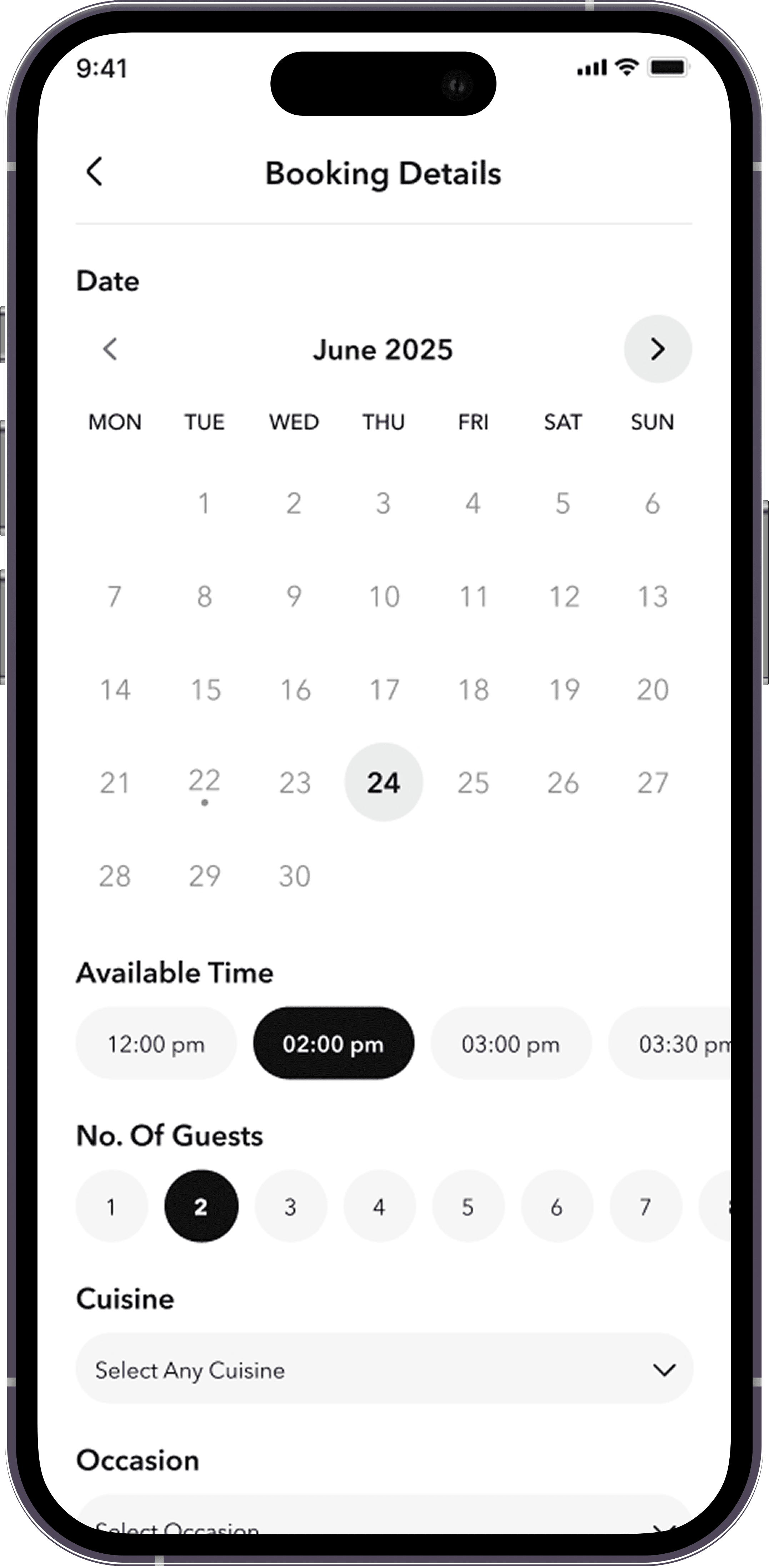

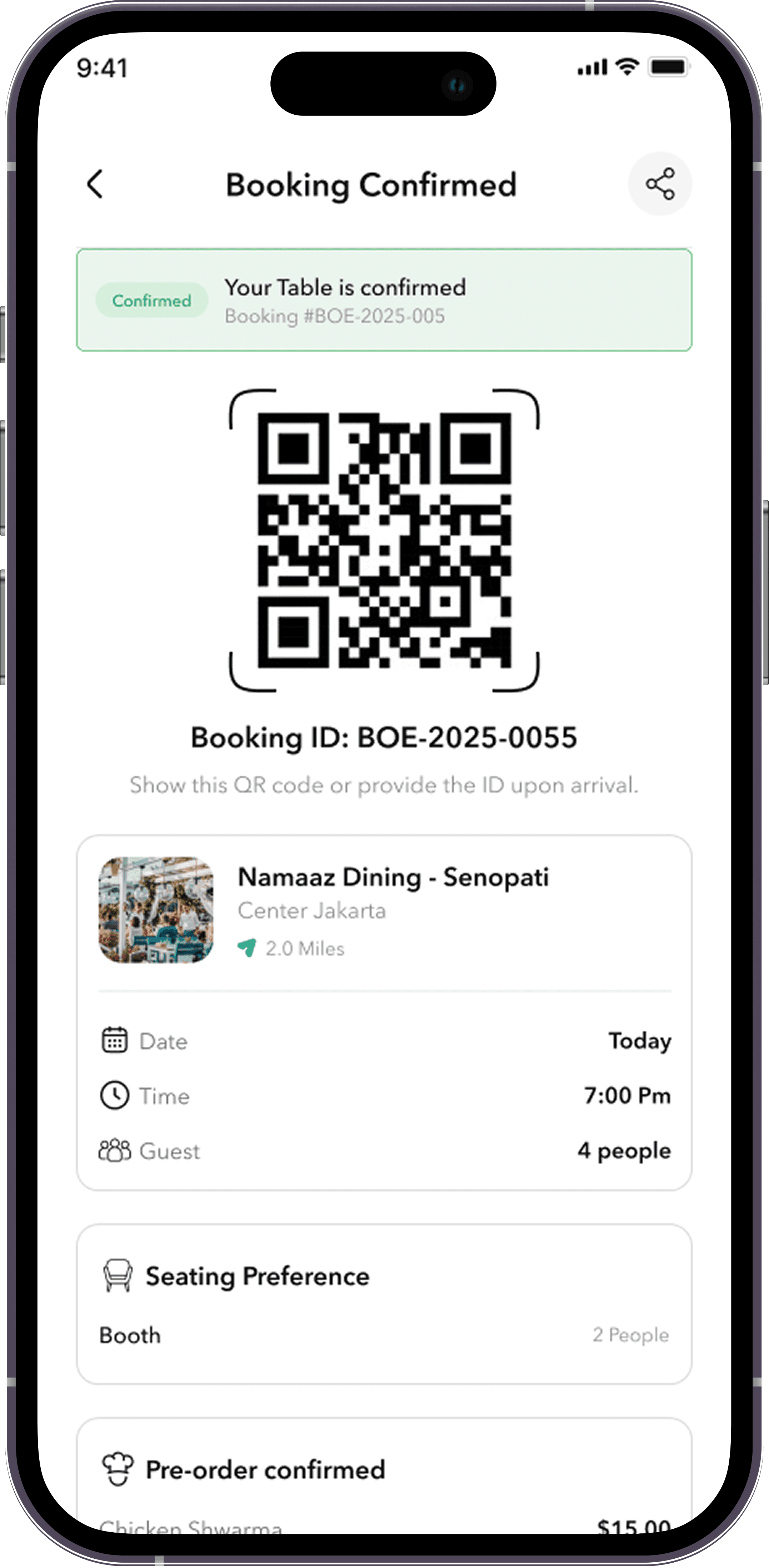
Clear value for everyone at the table—guests, venues, and your platform team.
From guests on the mobile app to managers in the admin experience and platform operators behind the scenes.
Book together with seating and occasion notes so the restaurant is ready for your table.
Surface veg, vegan, halal, allergies, and more through taste profile and venue data.
Search by cuisine and geo, save favorites, and return with loyalty perks.
Own the venue profile and menu, monitor bookings, and run membership or coupon programs.
Maintain catalog, billing and invoices, user accounts, and cross-venue configuration.
When your builds are live, link the App Store and Google Play here. Until then, invite diners and restaurants through TestFlight, APK, or a guided onboarding call.
Tip: Replace button targets with real App Store, Play Store, or distribution links when you publish; keep “Book a demo” for restaurant partners until self-serve signup is live.
Quick answers about accounts, bookings, payments, loyalty, languages, devices, and getting support.
Guests can sign up with username and password and/or use email and phone one-time codes, depending on the options you enable for your launch.
Policies depend on each restaurant and your platform rules. Point users to in-app support or your published cancellation policy.
The app supports card payments through Stripe and an in-app wallet for balance-based checkout. Card handling follows industry-standard security practices; wallet balances stay in sync with your account in the app.
Invoices and settlement fields in admin support marketplace-style owed/paid tracking on bookings. Describe refunds and payouts only in line with your legal and operations agreements.
Tiers tie to completed bookings with perks and discount percentages configured per program. Guests see progress and tier changes through notifications and membership screens.
The mobile app supports English and Traditional Chinese.
The consumer app is available for iOS and Android.
Use the contact section on this page for email, phone, or demo scheduling—link your real Calendly, support desk, or sales inbox.
Share your email for a restaurant onboarding consult, product walkthrough, or pilot access. Replace the placeholder details with your production contacts and calendar link.